J1 Rapid Response: MacOS Zero-day and water-hole attack. Are you vulnerable? How to tell in minutes.
Zero-day vulnerabilities are the ones that place the most stress on every security team, regardless of the size of the organization. Watering-hole (also known as drive-by) attacks are another high stress item for which security teams are constantly on the lookout. Combine the two, and you have a bad day for most security teams unless they have perfect visibility into their environment and can identify the vulnerable items so the risk can be immediately mitigated.
Yesterday, November 15, 2021, saw the announcement of a coordinated campaign by nation-state actors to compromise machines using both a zero-day and a watering hole. What’s more, this is one of the attacks against MacOS that are becoming more frequent. Users are always hesitant to update their OS, but how old is too old for events like this? Which users are vulnerable? These are the immediate questions security teams ask themselves, followed by “how do we & how fast can we update those systems?” and “did they visit any infected websites?”.
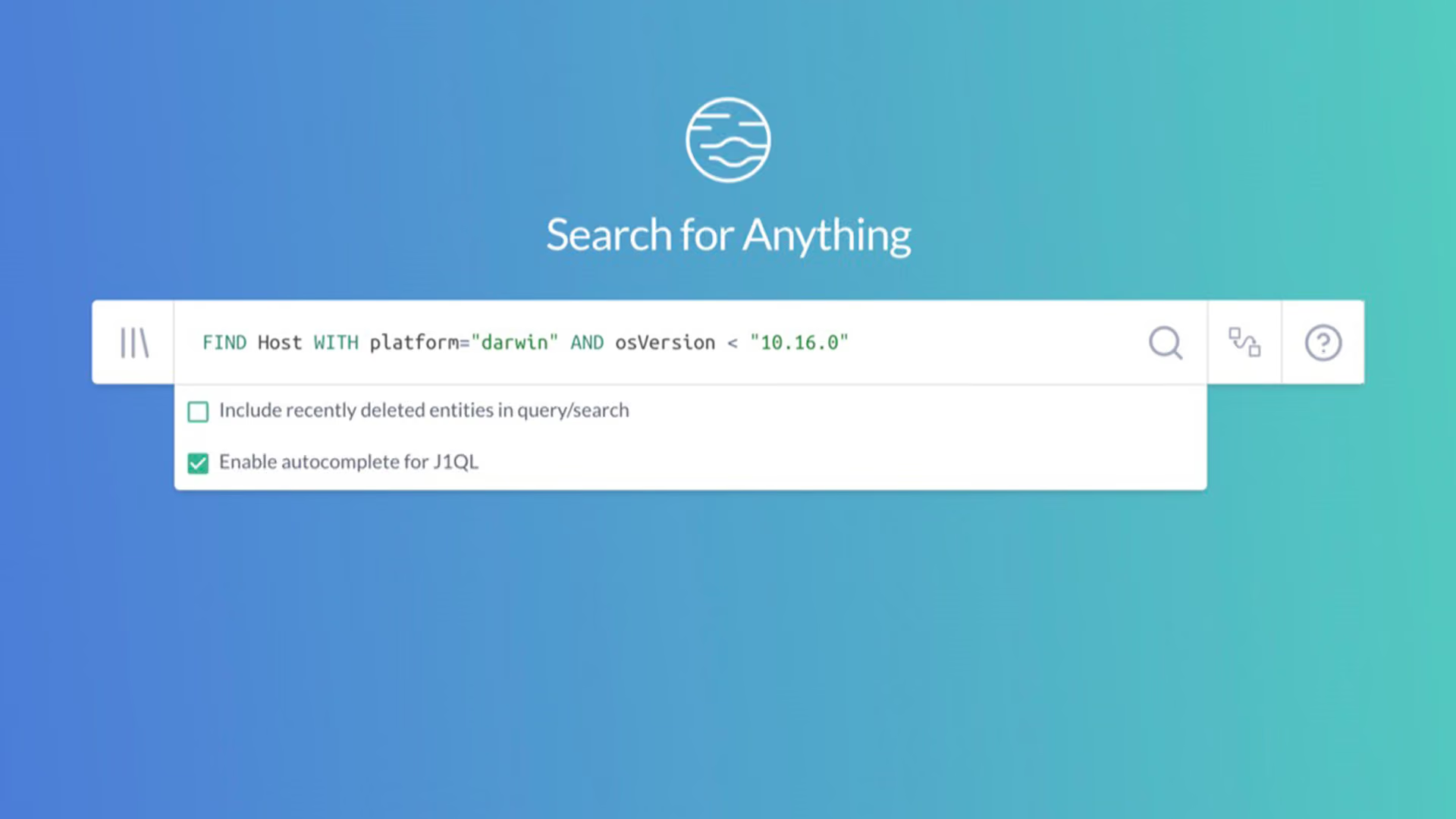
JupiterOne isn’t a silver-bullet solution, but it can help security teams answer some of those questions with relative ease and reduce the pressure those teams deal with when these incidents occur. For example, if you were ingesting your endpoint metadata into JupiterOne, you could issue the following query: FIND Host WITH platform="darwin" AND osVersion < "10.16.0".
NOTE: JupiterOne compares version numbers with multiple dots lexically, which means it treats them as strings and doesn’t convert to any numbers. So alphabetically after “10”, “100” is before “11”. Since MacOS doesn’t have version numbers in the hundreds, this kind of comparison is safe, and this query works in the way it should, but be wary of comparing strings lexically in JupiterOne when dealing with version numbers in particular.
Instead of it taking the team hours to gather this information before any action plan can begin, it takes minutes to gain real situational awareness. From there an organization can develop a plan to get those endpoints updated and also focus their forensic data-gathering efforts on those endpoints to determine their exposure.
JupiterOne Rapid Response Query for the win!
This J1 Query can be run immediately within your existing J1 account. If you don’t have an account yet, sign up for the free lifetime license and see where you stand against the watering-hole attack.